WooCommerce payment gateway
PaymentDash is a payment gateway as well as a dashboard. Install one plugin and your WooCommerce checkout accepts cards and eChecks through NMI, with saved cards, subscriptions and pre-orders. You don’t need a separate gateway plugin.
Illustration. Card fields are hosted by NMI, so card numbers never touch your site.
What your customers see at checkout
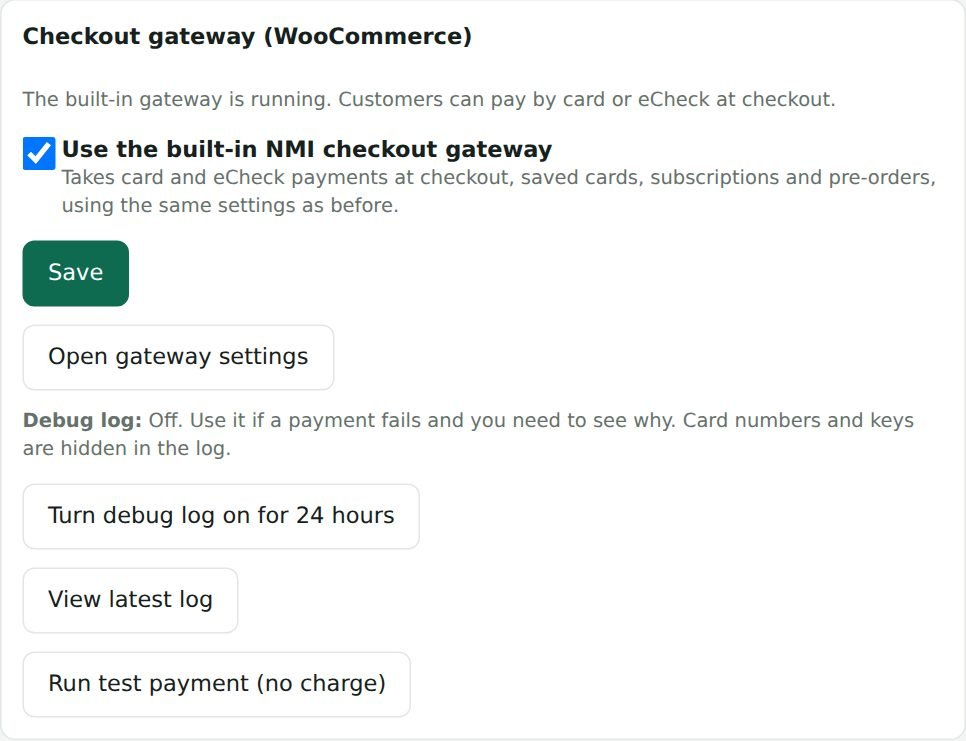
What you see: gateway settings in the dashboard
Card payments at checkout
Customers pay on your normal WooCommerce checkout, including the newer block checkout. Card numbers are typed into NMI’s secure fields (Collect.js), so they go straight to NMI and never touch your website.
- Works with the WooCommerce block checkout and the classic checkout
- Choose which card brands you accept
- Charge right away, or authorize now and capture later
- Your own card-statement name (dynamic descriptor), where your processor allows it
- Sandbox mode for testing with an NMI test account
Saved cards and faster repeat checkout
Customers can save a card at checkout or from My account. Cards are stored in the NMI customer vault, not on your website, and the next purchase is one click.
- Offer “Save this card” at checkout, ticked by default if you like
- Customers can add and remove cards in My account
- Saved cards show in the dashboard with expiry warnings
Subscriptions and pre-orders
Built for WooCommerce Subscriptions: renewals are charged automatically to the saved card, and customers can change the card for a subscription.
- Automatic renewals, including stores with many subscriptions per customer
- Change dates, amounts and payment method from WooCommerce
- Pause, cancel and reactivate
- Works with WooCommerce Pre-Orders: the card is charged when the item is released
eCheck / ACH bank payments
A second payment method lets customers pay from a US bank account through NMI, if your NMI account has eCheck turned on.
- Separate “eCheck” option at checkout
- Saved bank accounts for repeat payments
- Same refunds and order notes as cards
3D Secure 2 (optional)
Turn on 3D Secure and the card’s bank can ask the shopper to confirm the payment, which can lower fraud and chargebacks. Needs the 3-D Secure service on your NMI account and a public checkout key; the setup assistant asks for it.
Refunds from WooCommerce
Refund an order in WooCommerce or in the dashboard and the money goes back through NMI. The order, the refund and the notes stay in sync.
How to turn it on
- Install PaymentDash and run the setup assistant.
- Paste your NMI private key and public tokenization key (the built-in guide shows where they are).
- Tick “Use these keys for my WooCommerce checkout”. Card payments are on.
Questions
Do I still need another NMI plugin?
No. The gateway is included. If you already use the WooCommerce NMI Gateway plugin, PaymentDash notices it, leaves your checkout on that plugin and uses the same settings. Deactivate it whenever you are ready and the built-in gateway takes over.
Does it work with my NMI reseller?
If your provider runs on the NMI gateway and you can create API security keys in its portal, yes.