WooCommerce Subscriptions
Every WooCommerce subscription in one list with filters, quick actions and a health view that shows who is at risk. Renewals are charged automatically through the NMI gateway.
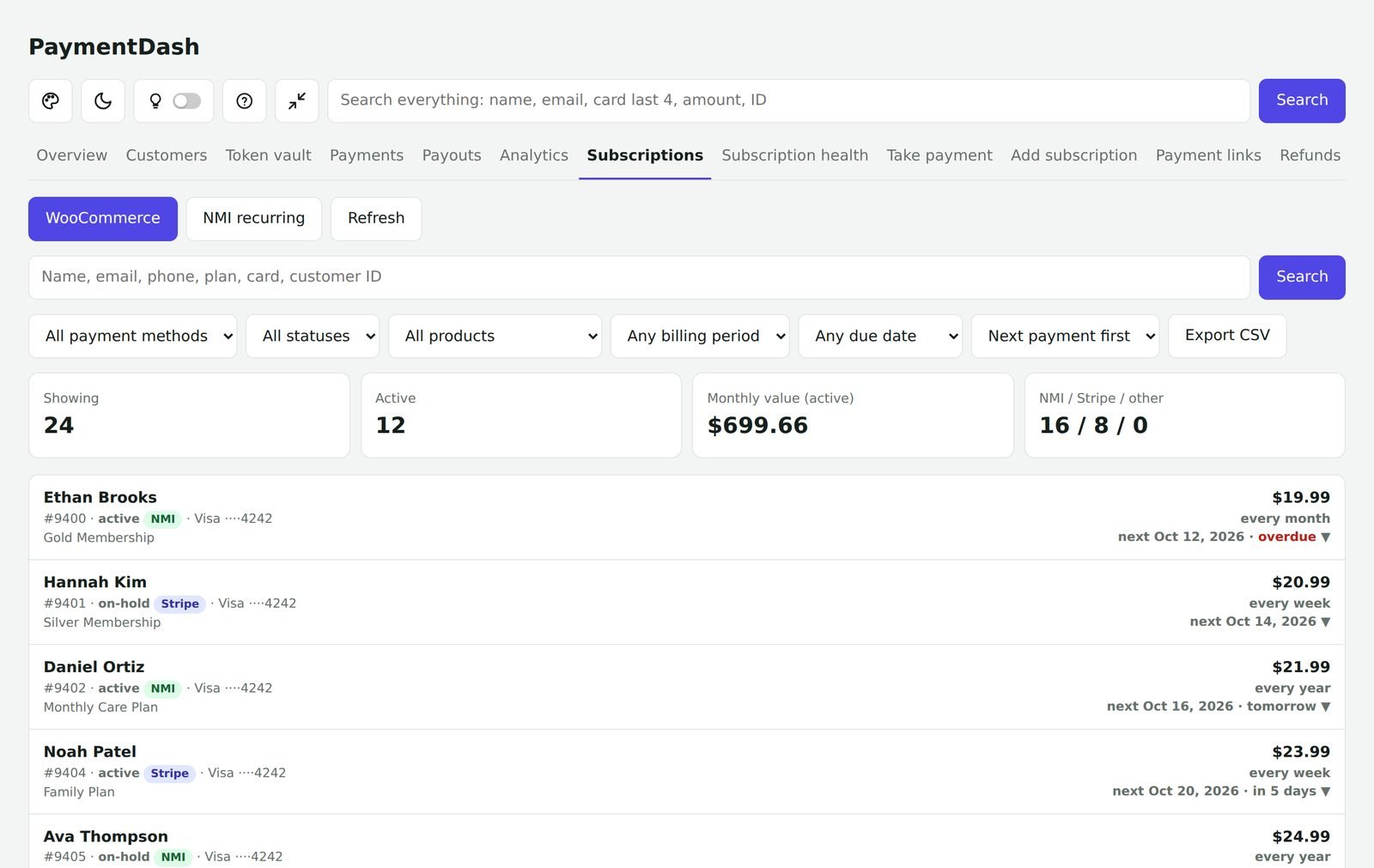
Every subscription, filtered your way
Filter by payment method, status, product, billing period and due date, or search by name, email, phone, plan or card.
- Showing, active, monthly value and NMI vs Stripe vs other counts
- Overdue and due-in-7/14/30/90-days filters
- Export to CSV
Quick actions
Open a subscription to change it in a couple of clicks (administrators). You can tell the customer by email or text.
- Pause and resume
- Skip the next payment
- Change the next payment date
- Switch to a different plan
- Update the card
- Cancel
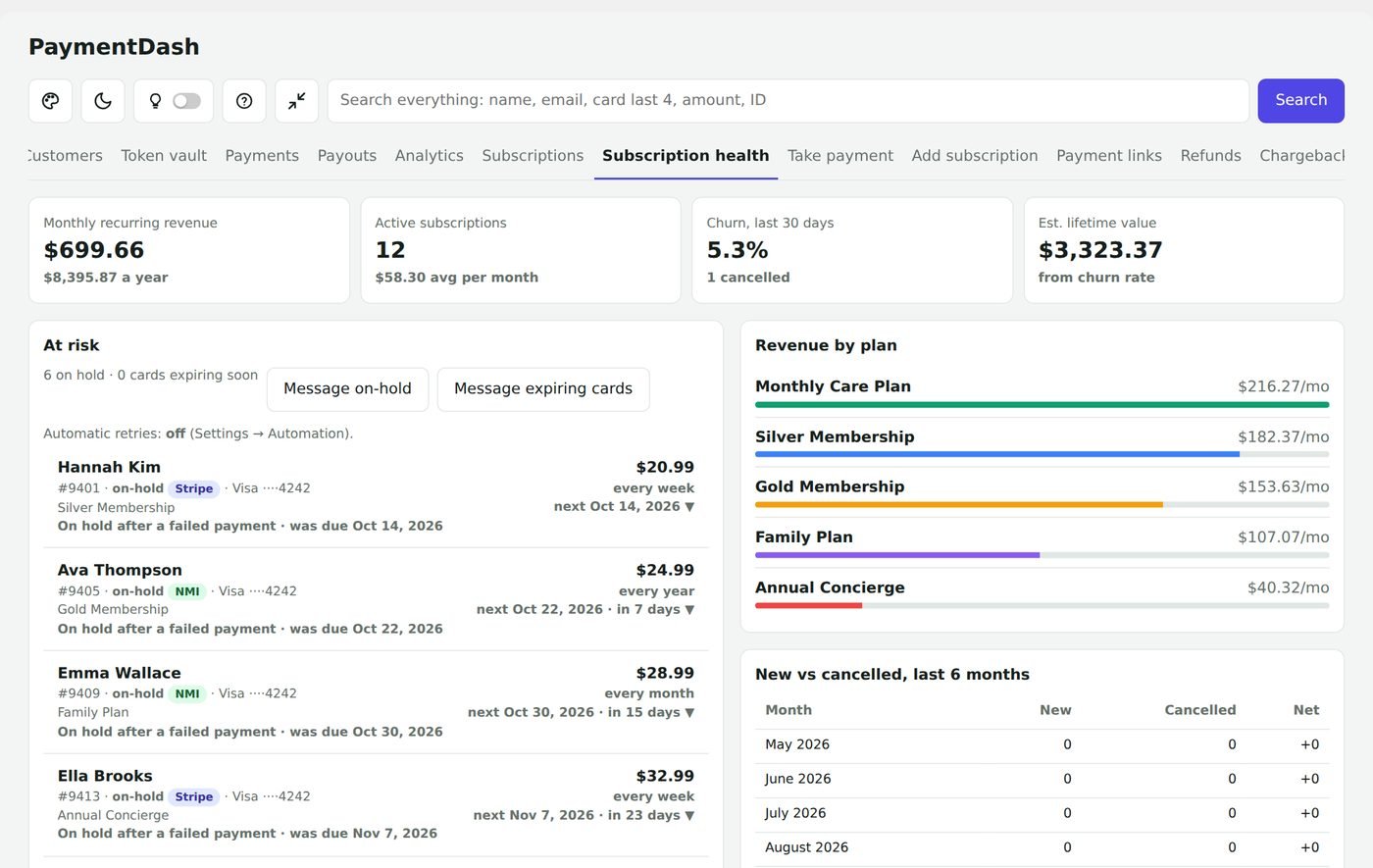
Subscription health
Monthly recurring revenue, active subscriptions, churn and estimated lifetime value.
- At risk: subscriptions on hold after a failed payment and cards about to expire
- One-click messages to everyone on hold or with an expiring card
- Revenue by plan and new vs cancelled by month
Automatic retries
When a renewal fails, try the card again on the days you choose, for example 1, 3 and 7 days later.
Questions
Do I need WooCommerce Subscriptions?
Yes, for these tools. WooCommerce Subscriptions is a separate plugin from WooCommerce. Without it, everything else in PaymentDash works.