Take payment and add subscriptions
Charge a card without a card machine. Every charge is a normal WooCommerce order paid through your NMI gateway, so stock, emails and reports stay in one place.
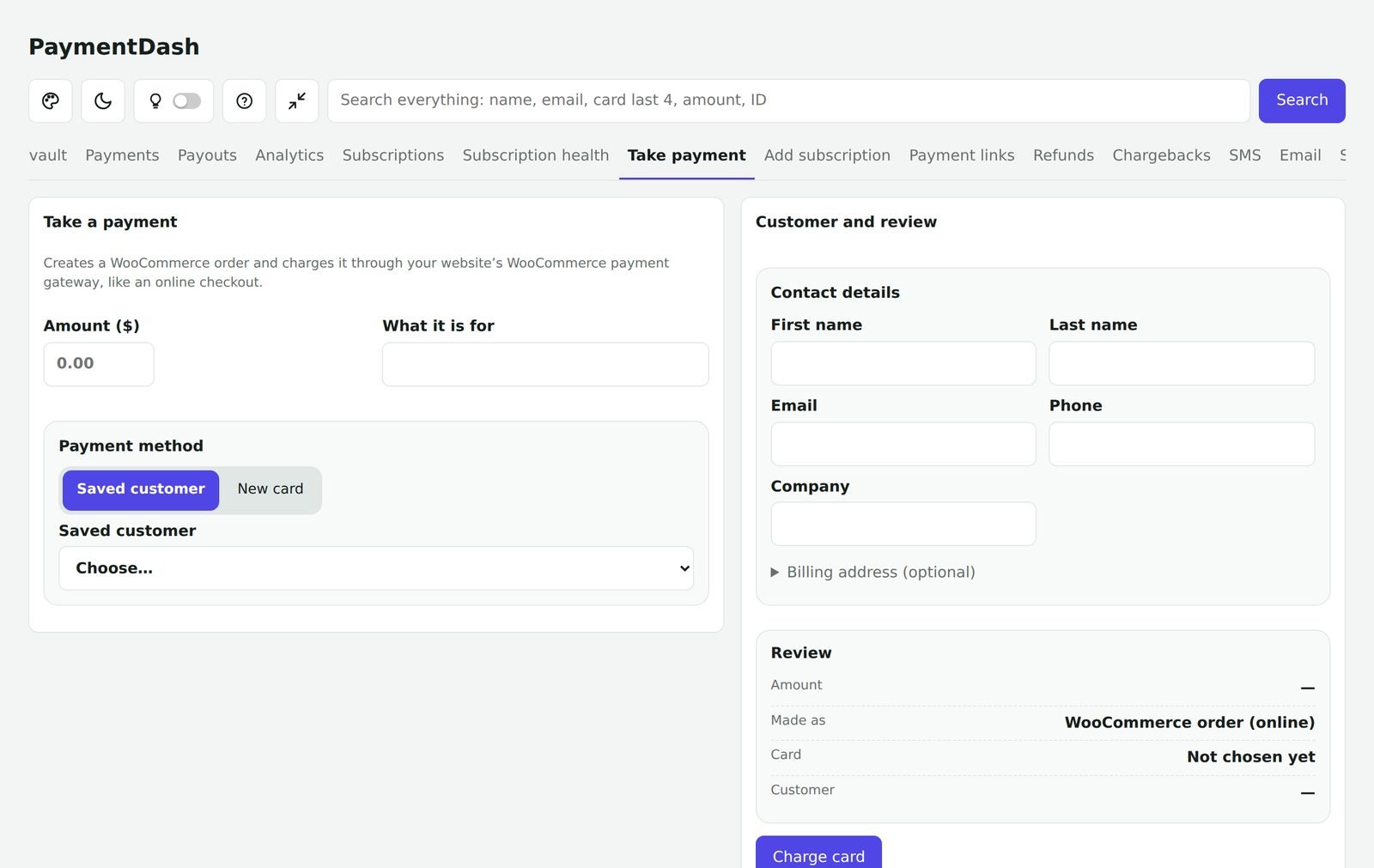
Charge a card
Enter the amount and what it is for, choose a saved customer or type a new card into NMI’s secure form, add the customer’s details and charge.
- Card numbers never touch your website
- Save the card for next time, with the customer’s permission
- Warning if the customer has had chargebacks
- Declines show the bank’s reason
- Optional password check for larger amounts
Start a subscription
Create a WooCommerce subscription for a customer yourself: choose a product or a custom amount, the billing period and the number of payments, and charge now or on a start date.
If NMI is down
With a backup payment method set, Take payment offers to finish the same order with your backup gateway when NMI cannot be reached.
Questions
Who can take payments?
Administrators. Staff can view payments and customers and refund within limits you set.