Import your payment history
Choose where you are importing from. Your old payments, customers and refunds appear next to your NMI history, marked with where they came from, and count in reports and customer history.
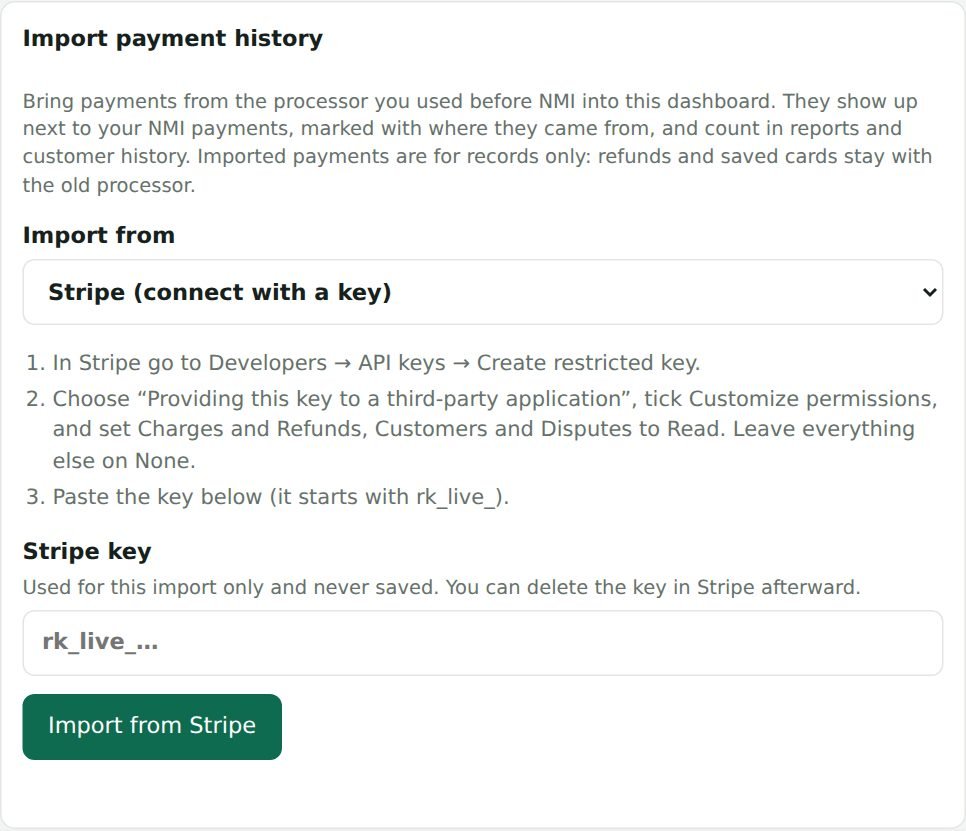
Connect with a key
Stripe imports with a read-only key; Square with an access token that is used once to read and never saved. Payments, customers, refunds and disputes are brought in.
Or upload a CSV file
Download a transactions file from your old processor and choose it. Columns are matched automatically, and you can change any before importing. Fees, transfers and payouts are skipped, and refunds are linked to their payment.
- PayPal, Authorize.net, Braintree, Clover, Shopify Payments
- QuickBooks Payments, Helcim, Stax, Payment Depot
- Heartland, Worldpay, Elavon, Chase, Square, or any other CSV
Stays tidy
Importing the same source again replaces it, and each source can be removed on its own. Imported payments are records only: refunds for them happen in the old processor.